"Missed schedule." What happened, and the fix.
You set a post to publish at 9:00. It's 9:40 and WordPress says Missed schedule instead. Nothing is broken — something just didn't get woken up. Here's the story, then the fix.
Nobody rang the doorbell.
Remember the chore list: WordPress does its chores when a visitor loads a page. "Publish the post at 9:00" is a chore. So here is the uncomfortable truth:
WordPress doesn't publish your post at 9:00. It publishes your post the first time someone visits after 9:00.
On a busy site those are the same moment. On a quiet site, they can be an hour apart — or a day. And if the chore system was switched off (that happens more often than you'd think, and nothing warns you), the post waits forever. WordPress eventually gives up and writes Missed schedule next to it.
Ask the site what's wrong.
You don't have to guess — WordPress has a built-in health screen and SwiftQueue reports the chore system's condition to it. In the left menu, go to Tools → Site Health.
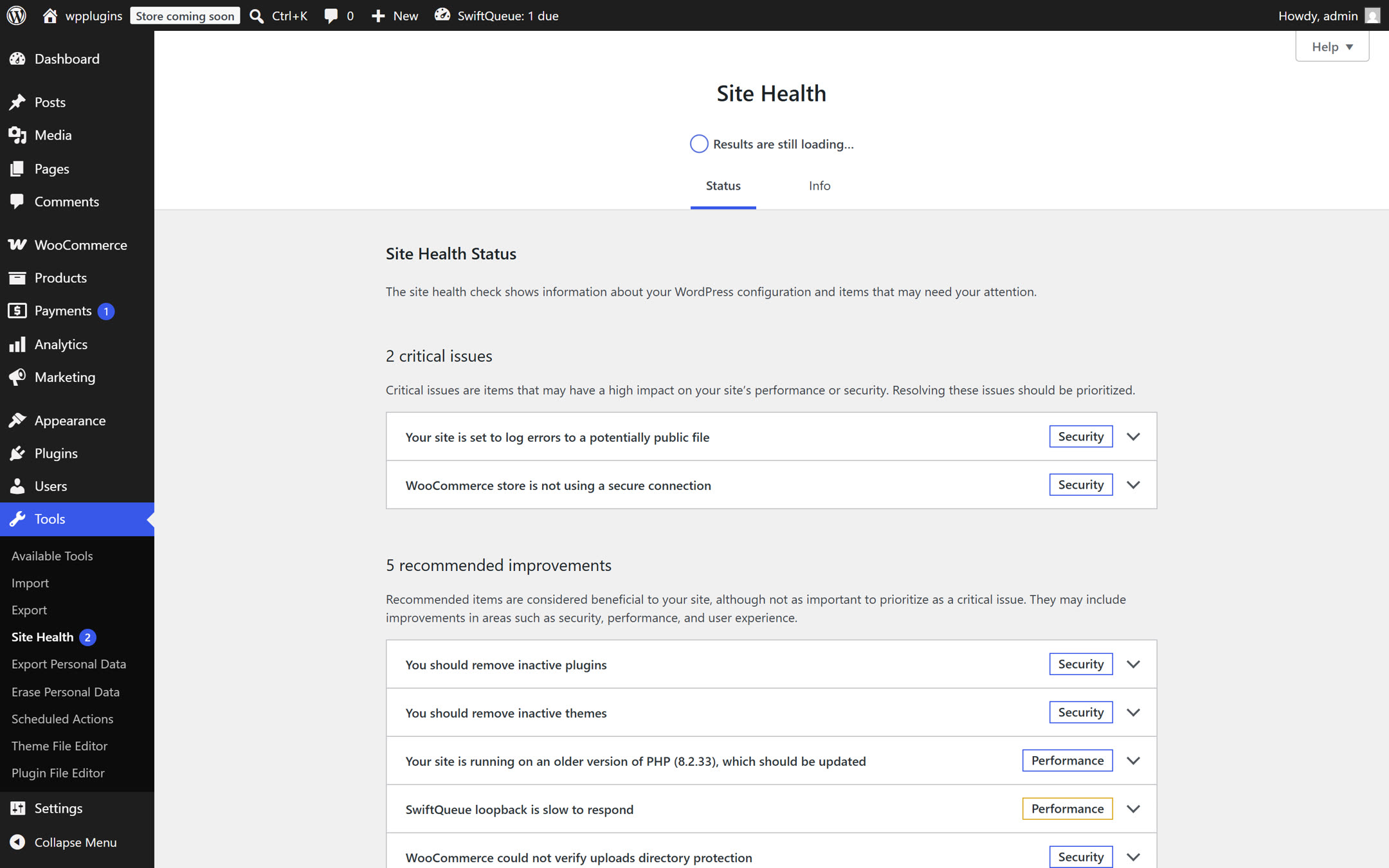
SwiftQueue adds its own tests to this list — in this real capture you can see one of them reporting that the site's loopback is slow. Look for any item mentioning "scheduled work", "cron", "background" or "SwiftQueue", and click the arrow to expand it. Each one explains the exact cause in plain language, and it will point you at one of the two situations below.
Worth knowing: this screen tells you the truth about your own site, and sometimes that truth is unflattering — the capture above is from our test install, warts included. We didn't tidy it up for the guide.
"The site is quiet" — visitors are the alarm clock, and nobody came.
If the health check says chores are running but late, your site simply doesn't get enough visits to wake the chore list up on time. Two fixes, either works:
Install SwiftQueue and stop there. SwiftQueue triggers chores itself when anything touches the site, so publishing stops depending on luck. For most quiet sites this alone ends the missed schedules. The install guide is here.
Give the site a real alarm clock. Ask your hosting company to "run wp-cron.php every 5 minutes", or follow the copy-paste instructions in SwiftQueue's Production Setup tab. This is the grown-up fix — good hosts do it in one support message.
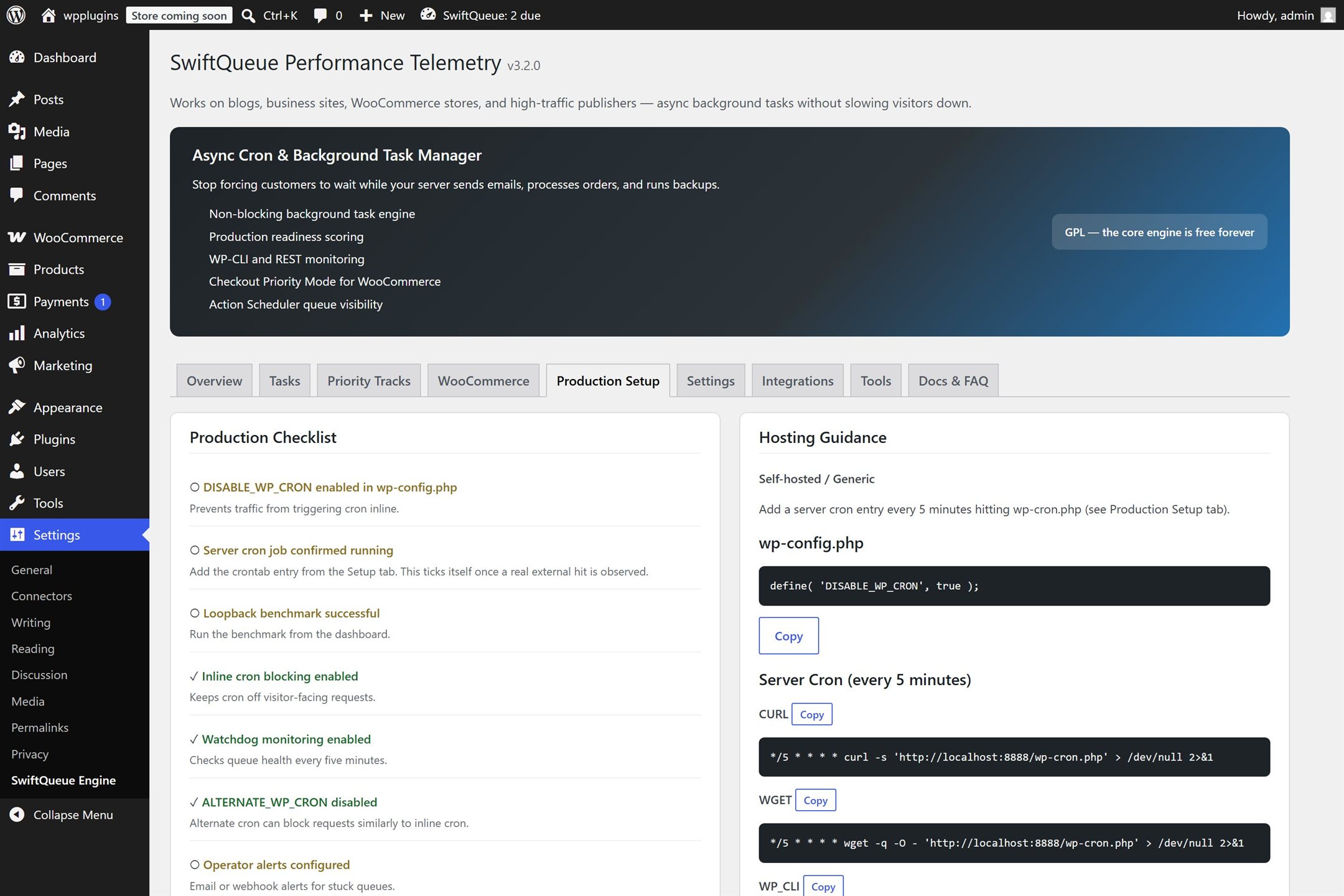
Note the "server cron" item: it turns green only when SwiftQueue has seen your host's alarm clock actually ring — not when you tick a box saying you set it up. If it's green, it's true.
"The chore system is switched off" — the silent one.
There is a WordPress setting called DISABLE_WP_CRON. It
means: never do chores during page loads — a real alarm clock will
handle them instead. That's a good setting… if the alarm
clock was actually set up. Sometimes a previous developer, a
host, or an old tutorial turned the setting on and the alarm clock
never happened. Result: no chores, ever, and no error anywhere — posts
just quietly stop publishing.
SwiftQueue treats this as an emergency: it raises a red critical warning in Site Health, because it has watched for the alarm clock and seen that nothing has ever rung. If you see that warning, the fix is the same as situation A, option 2 — set up the real alarm clock, using the commands the Production Setup tab writes out for your exact site.
Prove it's fixed.
Don't trust a feeling — schedule a test. Create a private test post, set it to publish three minutes from now, and walk away. If it publishes on time, you're done. If you installed SwiftQueue, you can also watch it happen: open the Tasks tab and you'll see the publish chore waiting, then gone.
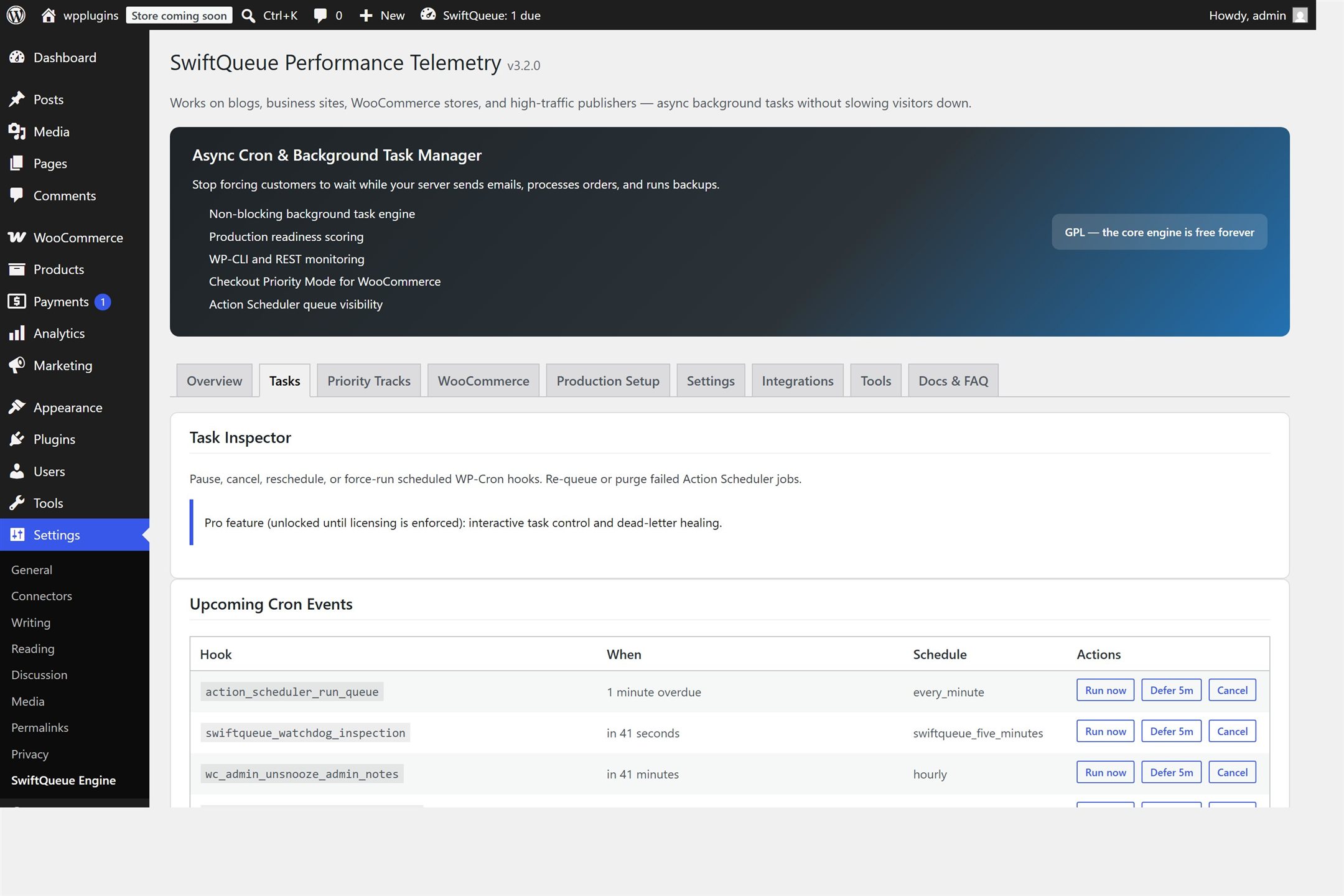
The Run now button next to any chore does exactly what it says. Your test post publishes immediately, and you've proven the whole pipeline works.