Your website does chores while visitors wait.
WordPress saves up its chores — sending emails, publishing scheduled posts, running backups — and does them when somebody visits your site. That somebody waits. SwiftQueue moves the chores into the background, so nobody does.
The free core is the whole engine — GPL, forever. New to plugins? The install guide shows every step as a screenshot.
Think of a shop with one employee.
Imagine a small shop where one person does everything: serves customers, restocks shelves, does the bookkeeping. The rule the owner set is — do the back-room work whenever a customer walks in. Most customers don't notice, because most of the time there's nothing waiting to be done. But when the bookkeeping has piled up, some unlucky customer stands at the till while all of it happens.
That is genuinely how WordPress works. Every WordPress site keeps a to-do list of chores, and by default a visitor's page load is what sets them running — and then waits for the server to acknowledge it. We measured that wait on a stock WordPress site: the unlucky visitor's page took 835 milliseconds, against 62ms with SwiftQueue installed. Here is the run, with the raw data and the parts that don't flatter us.
SwiftQueue hires a second worker. When chores are due, it hands them to a separate background process and your visitor gets their page immediately. That's the whole idea. No code and no settings to tune — install it, click past two setup screens (one of them says "Activate Free Version"), and the chores move to the back room. The install guide shows every screen.
The chores have a technical name — "WP-Cron tasks" — and you'll see that term in the plugin. Same thing: scheduled posts, emails from your contact form plugin, backups, update checks, order processing.
Honest answers, by the kind of site you run.
Including the cases where you don't need it. A plugin you don't need is just clutter, and we'd rather tell you now than in a refund email.
A personal site, a class project, a fan page
Do you need it? Probably not yet. With a handful of visitors and few plugins, WordPress's chores are small and rarely collide with anyone. The free version costs nothing if you're curious, and nothing bad happens either way — but honestly, spend your time on your site instead.
The bakery, the salon, the law office
The pain: a customer fills in your contact form or books an appointment, and the site takes ages to respond — because that moment is when WordPress decided to run the backup your backup plugin scheduled. Or a booking confirmation email goes out late.
What changes: forms and pages respond right away; the backup and the emails still happen, just in the background. The free version covers this completely.
WooCommerce shops of any size
The pain: the visitor who gets stuck behind the chores is sometimes the person paying you. Order emails, stock syncs and receipt generation all queue up — and busy stores queue a lot.
What changes: checkout pages never trigger background work, and order processing runs after the customer has their confirmation. This is the case SwiftQueue was built around.
Scheduled posts and newsletters
The pain: the classic "missed schedule" error — a post set for 9:00 that never went out, because publishing depends on someone visiting your site at the right moment. Newsletter plugins that send in batches make it worse.
What changes: SwiftQueue watches whether scheduled work is actually running and tells you plainly when your site's setup means it can't — including the one silent misconfiguration that stops scheduled posts entirely.
You look after other people's sites
The pain: a client's queue silently stalls and you find out from the client. Diagnosing loopback failures, stuck locks and cache-eaten cron by hand, per host, per site.
What changes: a diagnosis that names the exact failure (firewall vs TLS vs DNS vs host policy), Site Health integration, alerts to Slack or email, and a Task Inspector to run, defer or cancel anything. WP-CLI for everything.
Publishers, multisite networks, big stores
The pain: during traffic spikes, background jobs compete with readers for the database. On-call finds out from dashboards going red.
What changes: priority lanes keep urgent work (orders, payments) ahead of housekeeping; a contention shield holds low-priority jobs back when the database is under write pressure; PagerDuty and webhook alerts; a network-wide dashboard.
This is the actual plugin, running.
Screenshots from a live install on WordPress 7.0 with WooCommerce — real queue, real history, no mockups.
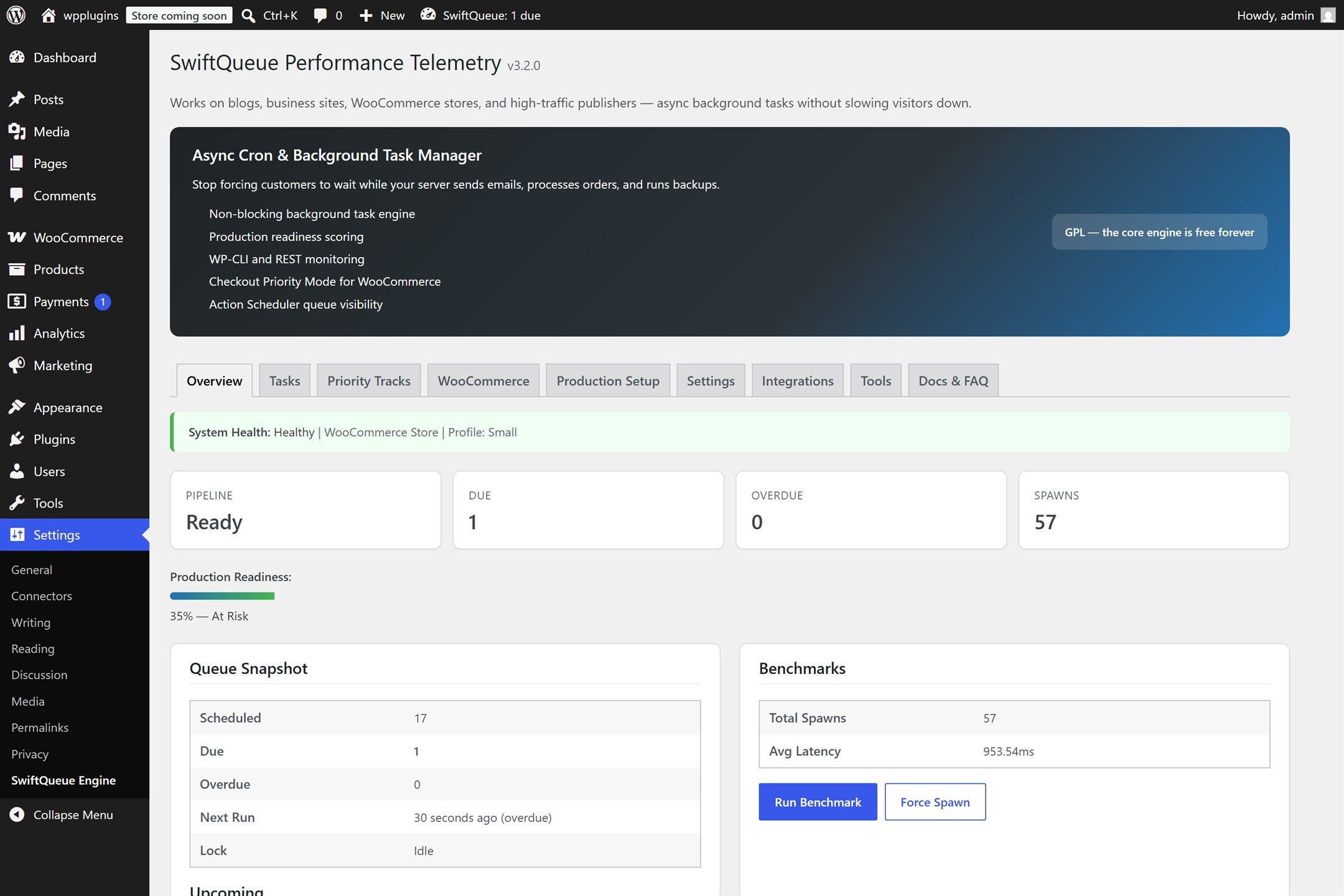
Everything on one screen: whether the engine is healthy, what's queued, and what it has already handled in the background. The latency figure shown is this development container's own — slow, and not representative; see the measured numbers.
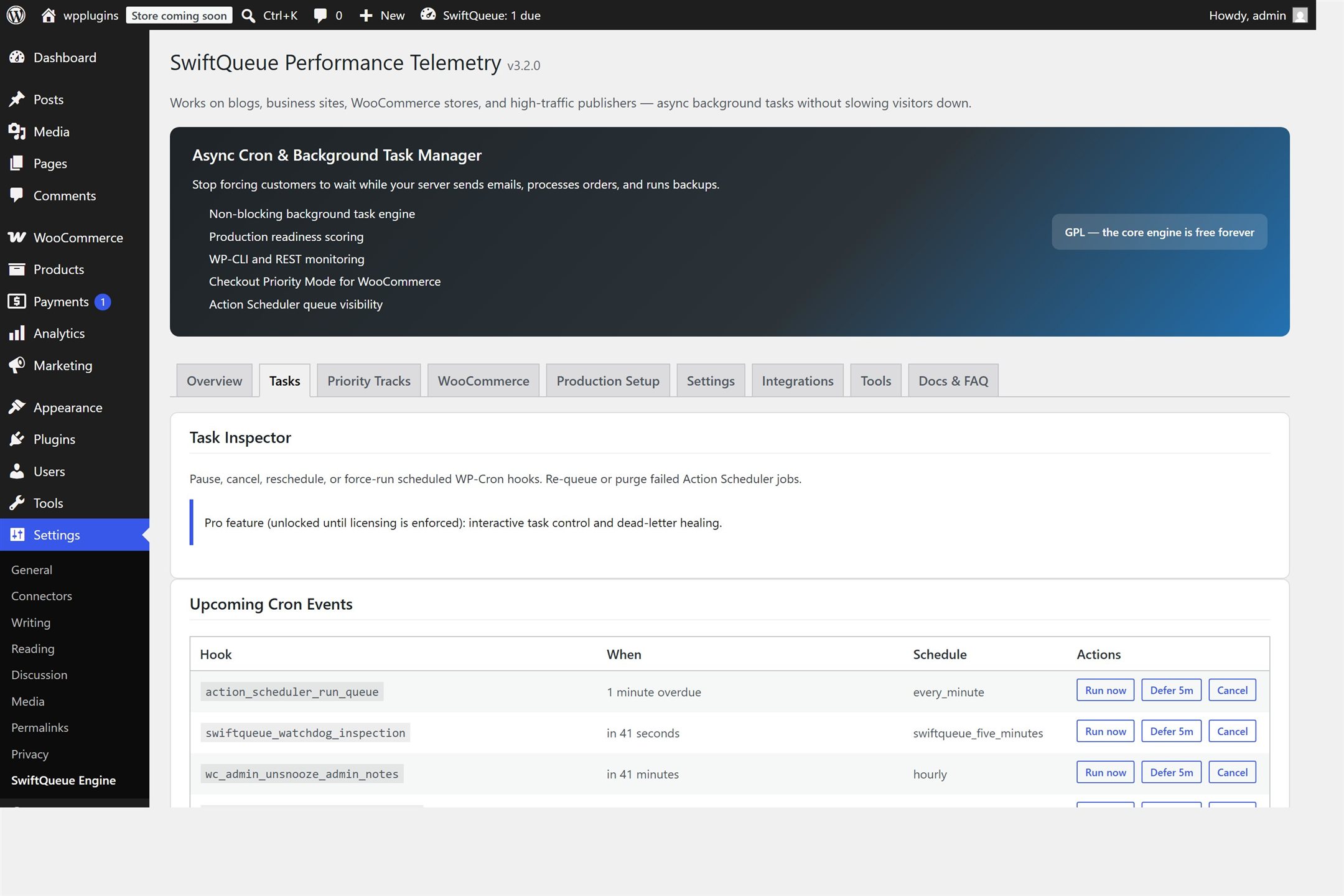
See every chore your site has scheduled — and run, postpone or cancel any of them with a click.
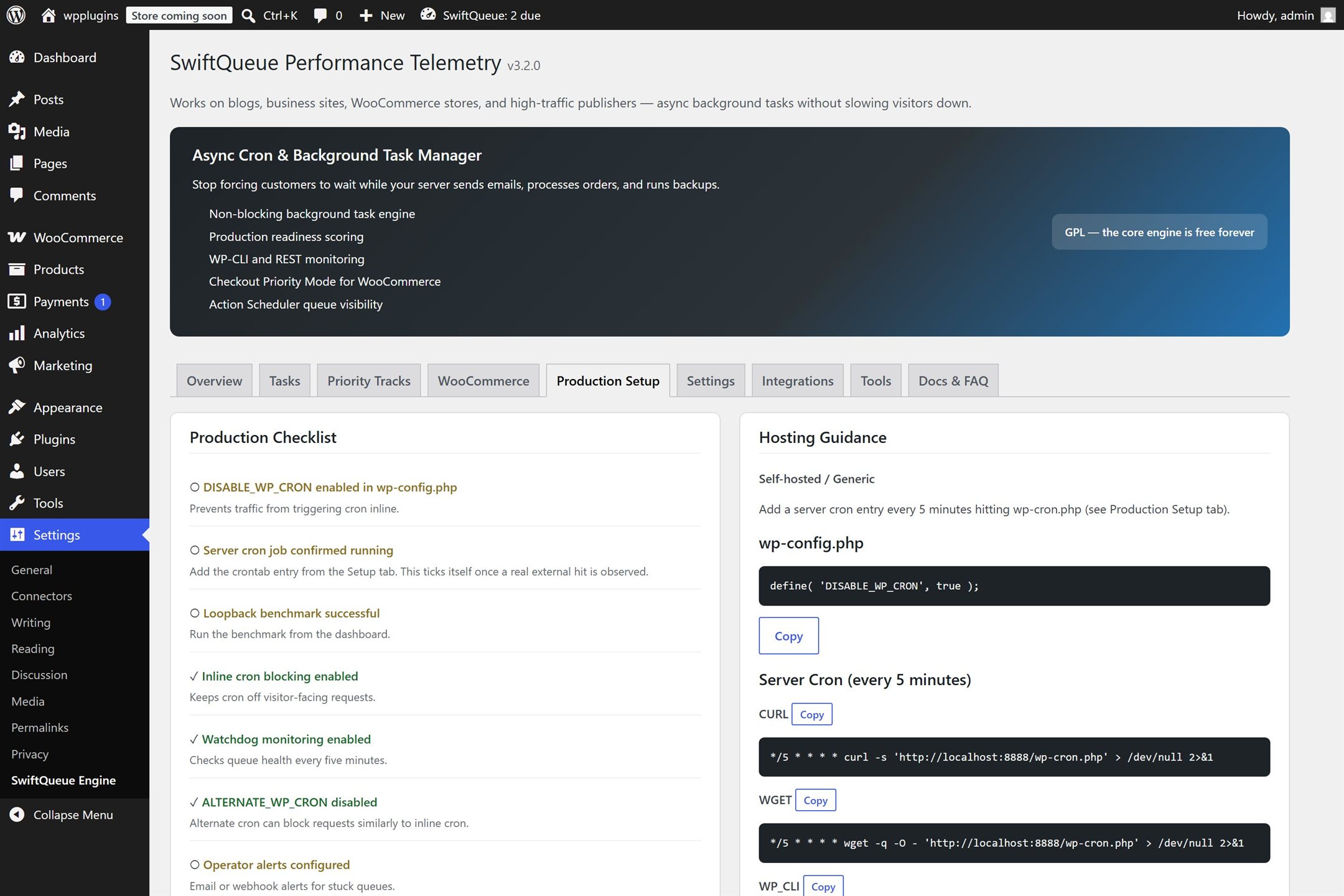
A checklist that checks itself: the "server cron" item turns green only when the plugin has seen it actually working.
Thirty seconds of the real thing.
A screen recording of the actual plugin on a live test install — the dashboard, then a background worker being sent off and coming back. Nothing staged, nothing sped up.
Real screen recording, WordPress 7.0 + WooCommerce, local test install. No audio, no edits. One honest caveat: the latency figures visible in the dashboard are that development container's own, and its loopback is unusually slow — the measured numbers are on the benchmarks page, not in this video.
What this is not.
Not a caching or speed-up plugin. It won't make your pages render faster. It stops background chores from making some of them slower.
Won't fix a slow theme or heavy page builder. If every page is slow, the chores were never your problem.
Does nothing visible on a site with no scheduled work. No chores, nothing to move.
Can't fully fix a WordPress design flaw it inherits. WordPress stores all scheduled tasks in one list with no locking; in rare cases tasks can be lost when runs overlap. SwiftQueue avoids making it worse and says so in the open — see the technical docs.
Want proof instead of promises? Watch real background workers fire on the live demo, or read how the benchmarks work.